
How to Download Floor Generator for SketchUp Plugin?

The Floor Generator is one of the most useful plugins for the SketchUp software, which involves the generation of floor layouts from individual boards, along with full control over the design and textures of the floors. With the help of the Floor Generator plugin, users are able to create floor tiles for interior designs. The Floor Generator plugin is compatible with different versions of the SketchUp software, for example, SketchUp 2021, SketchUp 2022, SketchUp 2023, SketchUp 2024, SketchUp 2025, and SketchUp 2026.
The Floor Generator plugin is compatible with Mac and Windows operating systems. The supporting language for the Floor Generator plugin is English. The Floor Generator plugin is available in the SketchUcation Plugin Store to download for the SketchUp software.
The Floor Generator plugin has been made for architecture visualisation professionals, which enables the users to create complex and realistic flooring layouts as 3D design models.
Process of using the Floor Generator plugin for the SketchUp software
For using the Floor Generator plugin for the SketchUp software, the users have to follow several steps, which are:
➢ At first, the user has to create the surface that will be required for the flooring process.
➢ In the next step, the user has to click on the plugin icon to open the menu.
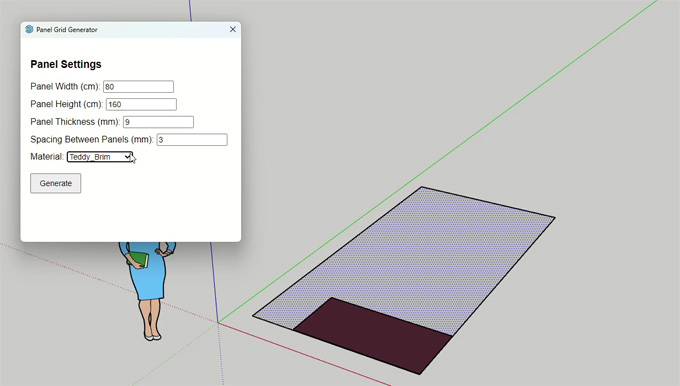
➢ In the next step, the user has to input the values that are required for the flooring.
➢ After that, the flooring will be generated in a group. The users can delete the surface that has been created initially to start the flooring process.
Discuss the design features of the Floor Generator plugin for the SketchUp software
Floor pattern: The users are able to switch between the types of patterns in the "Floor Pattern" drop-down menu in the case of having the full version of the Floor Generator plugin.
Max length: This feature of the Floor Generator plugin helps to control the maximum length a board can be.
Min length: The Floor Generator plugin also enables users to control the minimum length on a board.
Max width: The maximum width of the board can be controlled by the Floor Generator plugin.
Min width: The Floor Generator plugin can also control the minimum width of the board.
Outline: The Floor Generator plugin offer outline feature, which helps to control the width of the bevel. This plugin helps to create a 45-degree bevel.
Extrude H: This feature of the Floor Generator plugin helps to control the height of the floor.
Bevel H: This feature helps to control the height of the bevel along with the edge of the board.
Hexagon, Radius: This design feature of the Floor Generator plugin helps to control the size of one hexagon tile.
Herringbone, Parallel Boards: This design feature of the Floor Generator plugin helps to control how many boards is there be side by side.
Chevron, Angle: The Floor Generator plugin is also able to control the angles of the boards. In this context, it does not need to use too high an angle, as it may create a lot of boards.
Basket Weave, Sub Boards: This feature of theFloor Generator plugin helps to control how many boards are inside each square.
Key functionalities of the Floor Generator plugin
➢ The Floor Generator plugin enable the users to generate flooring as the actual geometry in their design model. Thus, the users are able to create tiles, which actually have thickness, along with the wood floors, brick and many other options.
➢ The Floor Generator plugin has the ability to create clapboard or building siding on vertical faces.
➢ All the floor types created by the Floor Generator plugin have editable input, which enables the users to set with, length, offsets, and spacing between design objects.
➢ With the help of the Floor Generator plugin, the users are also able to adjust the design orientation of the items that have been selected by both 45 and 90 degrees.
➢ The users are also able to adjust the design textures of the floor within this SketchUp extension. In addition, the users are also able to adjust the size of the textures and can also adjust the rotations of the design textures.
➢ The users are also able to add bevels and random imperfections to anything that has been created by the users, thus making it more realistic.
To learn more, watch the following video tutorial.
Video Source: SRK Studio
Download Floor Generator
➢ The Floor Generator plugin also has the ability to create each design object as an individual group.
➢ With the help of the Floor Generator plugin, users are able to create floors inside any kind of 2D shape object or any kind of flat design object.