FlexTools - SketchUp Tool for Architects and Designers
FlexTools - FlexPack Pro is the newest SketchUp plugin which helps to offer more responsive 3D modelling along with more dynamic doors, windows, panels and other designing features. Architects and 3D artists use this SketchUp plugin to create stairs, doors, windows, and architectural elements within less time.
Flex components have been developed to accelerate the designing speed as well as accelerate user-friendliness. Each component of the FlexTools can also be customized as per the design requirements of the users.
There are several design options in the FlexTools which can be explored by the users. This FlexTools - FlexPack Pro plugin has been available in the SketchUp extension warehouse.
There are several steps in using the design components of the FlexTools - FlexPack Pro plugin which is:
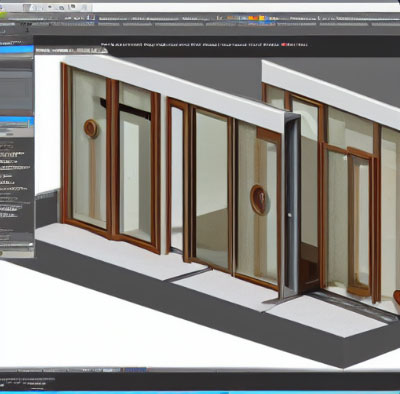
➢ At first, the Flex components have been placed onto the wall component, as a result, an opening has been formed.
➢ The next step is to move the flex component, as a result, the opening has been modified.
➢ The next step is to scale the flex component. In this context, all the design elements of the flex components have been maintained along with the exact proportions.
➢ Next, the flex components can be adjusted. In this context, the flex components can be changed by the users at any time.
➢ Users can also save their preferred design components with the help of the ComponentFinder feature.
The usefulness of FlexTools - FlexPack Pro
Responsive nature
The components of this plugin have been scaled to fit more precisely. In this context, all proportions and parameters of the design components have been maintained.
Total customization feature
Each and every element of the Flex components has been adjusted by the users. Thus, users are able to explore new design style alternatives in a few time.
Fully parametric
The components of the FlexTools - FlexPack Pro plugin are fully parametric. As a result, changes in these components can be done fast and easily. The components of this plugin can fit into the interactive design processes more perfectly.
Key features of FlexTools
Section Fills
This feature of the FlexTools - FlexPack Pro plugin has full compatibility with the section fills of the SketchUp software.
WallCutter
This feature of the FlexTools - FlexPack Pro plugin enables the users to cut multiple layered walls instantly. This can be done along with dynamic openings which can be readjusted automatically. In this context, any Sketchup component has been converted into the Wall Cutter.
Instant Plans & Elevations feature
There are ready layouts for the users in this SketchUp plugin which can be accessed by the users with a few clicks.
Component Finder
This feature helps to manage the locally saved components by the users. The finding process of the design process by the users becomes easier with the help of this feature of the FlexTools - FlexPack Pro plugin.
Planview
There is also one-click optimization availability for the 2D plans in this SketchUp plugin.
Component Options
Users can adjust the dynamic component parameters of the FlexTools - FlexPack Pro plugin.
Open / Close
Users are also able to close or open multiple FlexDoors at once.
Interact
Users have the opportunity to interact with dynamic components.
Make Unique
Through the FlexTools - FlexPack Pro plugin, users are also able to make unique design components.
Make Totally Unique
All the design components and their subcomponents can be made unique with the help of this SketchUp plugin.
Cleaner
Through this SketchUp plugin, the nested hidden geometry can also be deleted by the users.
Flip
Users are also able to Flip FlexDoor inside-out.
Zapper
Users can also remove the dynamic behaviours in the meantime of maintaining the components hierarchy.
Download and installation process of FlexTools - FlexPack Pro
The download and installation procedure of the FlexTools - FlexPack Pro plugin can be done in several steps which are as follows:
1. Upon the purchase of this plugin, users will receive an email along with a download link as well as user will receive a license key for activating the plugin. Then user can download the RBZ file from that link.
To learn more, watch the following video tutorial.
Video Source: FlexTools.cc
2. The next step is installing the plugin. In this context, the user has to go to the Extensions option in the SketchUp software, then go to the Extension Manager and after that users are able to install that plugin. After that, users can select the downloaded RBZ file, as a result, a new toolbar called FlexTools has appeared.
Download FlexTools
3. Users are also able to activate FlexPack Pro on up to 2 computers with the license key that has been received in the email. In this context, the user has to click on the gear icon which helps to open the FlexTools Manager, then have to paste in the License Key, and then click on the 'Activate' option thus FlexTools - FlexPack Pro has been activated.