New TurboCAD Pro 17 Gets Speedy Upgrade
24th March 2010
Novato, CA - MSI®/Design, the developer of the #1 best-selling CAD in retail, announced today that it has significantly increased the performance of its flagship products, TurboCAD® Pro 17 and TurboCAD Pro Platinum 17.
"TurboCAD is now turbocharged," stated Bob Mayer, COO of IMSI/Design. "TurboCAD Pro 17 and Pro Platinum 17 now take advantage of GPU-based graphics cards and are lightning-fast when it comes to wireframe and 2D display. We are seeing performance increase up to 60x -- it's phenomenal."
TurboCAD Pro 17 and Pro Platinum 17 also contain dozens of new features and productivity improvements, including: Improved Speed and Productivity-
- ♦ View wireframes up to 60 times faster. A new drawing engine takes advantage of GPU-based graphics cards so speed increases dramatically in wireframe and 2D mode. Larger files will pan, orbit, and zoom in and out smoothly.
- ♦ Easier, more powerful layer management. Design Director simplifies layer management, and new layer filter support (.Drawing compatible) lets you manage large, complex drawings with ease.
- ♦ Fewer clicks. Double-click on text or M-text to enter edit mode. Edit blocks and groups in place.
- ♦ Less setup. New and improved templates set tool default values to more commonly used settings. Paper spaces can be copied with all settings from one drawing to another.
- ♦ Easily create 2D vector drawings from 3D models. Viewports can be exploded creating flat 2D views.
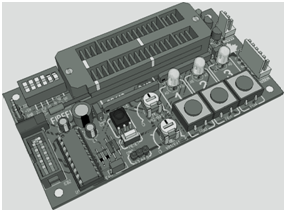
- ♦ New possibilities are available with 3D patterns. Rapidly design mechanical parts with repetitive structures. Apply patterns to spheres and cylinders, radial patterns, 3D arrays, or patterns along a curve for shapes that couldn't easily be drawn before. Arrayed patterns such as ventilation holes, keypad designs, and more can also be designed and merged with other objects.
Robust Architectural Design-
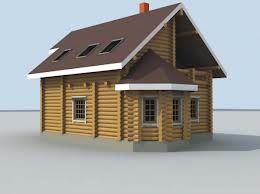
- ♦ Floor plan design is faster than ever. An improved Wall tool now allows for definition of intelligent relationships between walls to link or not link, clean or remain separate, in any combination.
- ♦ Create any style of door or window easily. ACA compatible Door and Window Muntins expand options for parametrically creating the exact object types for your design.
- ♦ Create precise shapes for walls. A new bottom wall modifier gives you even greater control over the look and design of your structure's walls.
Adds Specificity-
- ♦ Geometric Tolerances enable precision in communication. The completely rewritten tolerances tool provides specific instructions on production tolerances and is .Drawing compatible.
- ♦ Parametric Parts can be easily created. Drawn parts can be made into reusable parametric parts with a more robust part wizard. Parts may also be scripted using even more commands and mathematical functions than before.
- ♦ Better communication with multi-leaders. One callout for multiple parts.
Greater Interoperability-
- ♦ Work with the latest CAD® files. Added support for .Drawing 2010.
- ♦ Better Google™ SketchUp™ workflow. A significantly improved COLLADA (.DAE) export feature includes instances so that blocks and architectural objects will be read by SketchUp as components.
- ♦ More powerful Xrefs. We have added Xref clipping for dozens of file formats and allow binding of Xrefs, which can then be exploded and edited. Xref layers are easier to manage, even with layer filters.
Source: earthtimes.org
|